Install & run Cordane
Cordane runs AI coding agents on machines you own, driven from one browser tab. This guide gets you from zero to a worker on your board.
Self-hosting is free forever, with every feature and no license key — see the quickstart below. Prefer not to run the hub? Managed cloud does it for you, and your workers still stay on your own machines. Connecting a worker is the same in every setup.
Overview
Cordane has two pieces:
- The hub — the control plane you open in a browser: the board, terminals, and live app previews.
- Workers — the machines where agents, dev servers, and your code actually run. A worker dials out to the hub, so it can be anywhere: your laptop, a VPS, a lab box behind a firewall.
You choose where the hub lives — we host it for you (managed cloud), or you run it yourself (self-host). Either way, your workers stay on your machines, so your code and secrets never leave your hardware.
Get started
Two ways to run the hub. Pick one, then connect a worker.
Self-host
Two containers on your own box or a $5 VPS. Every feature, no license key, no account with us at all.
1. Run the quickstart below.
2. Sign in with GitHub — the first account becomes admin.
3. Connect a worker.
Managed cloud
We host the hub at your-team.cordane.app — TLS, backups and upgrades handled. Nothing to install for the hub; your workers are still yours.
1. Start a 14-day trial.
2. Name your hub — we build it in about a minute.
3. Connect a worker.
Self-host quickstart
You need a small Linux box with Docker and ports 80/443 open. Everything is prebuilt — there is no toolchain to install and nothing to compile.
1. Get the stack
git clone https://github.com/cordane/cordane.git
cd cordane/deploy
cp .env.example .env
2. Fill in five values
Open .env and set:
EXTERNAL_URLandCONTROL_HOST— your hub’s URL and hostname.CORDANE_SECRET_KEY— generate withopenssl rand -base64 32. Back this up; it is not in your database backups.CORDANE_GITHUB_CLIENT_ID/CORDANE_GITHUB_CLIENT_SECRET— a GitHub OAuth app, described below.
Point an A record at the box for your hostname (and a wildcard *. record if you want preview subdomains). On Cloudflare, keep DNS grey-cloud / DNS-only — Caddy terminates TLS itself and proxying would break the streaming connections.
3. Start it
docker compose up -d
docker compose logs -f cordane   # watch it boot
Open your EXTERNAL_URL and sign in with GitHub. The first account to sign in becomes the admin — do that yourself before sharing the address. Then connect a worker.
No license key needed. An unlicensed hub runs the free Community tier — every feature, capped at 1 worker, 1 project, 2 users and 3 concurrent agent runs. It makes no license calls; its only call to cordane.ai is the update check. Adding a key later lifts the caps on the same install, with the same data.
Wildcard certificates, backups to any S3-compatible bucket, a no-DNS-token “simple mode”, and how to use a DNS provider other than Cloudflare are all covered in deploy/README.md.
Connect a worker
A worker is any Linux or macOS machine you point Cordane at. This is identical whether your hub is managed or self-hosted.
1. Get a join token
In your hub, open Workers → Add worker and copy the one-time join command (it contains a crdjt_… token).
2. Install the worker
On the machine you want to enroll, install the cordane binary straight from your hub:
# installs the cordane binary for this OS/arch
curl -fsSL https://<your-hub>/install.sh | sh
3. Join it to your hub
cordane worker join https://<your-hub> --token crdjt_…
It enrolls and starts running immediately. To run it again later (e.g. after a reboot), use cordane worker run. Within a few seconds the worker shows up Online on your board.
The whole thing on camera — install, enroll, run, then ss -ltnp asked what the worker is listening on (nothing):
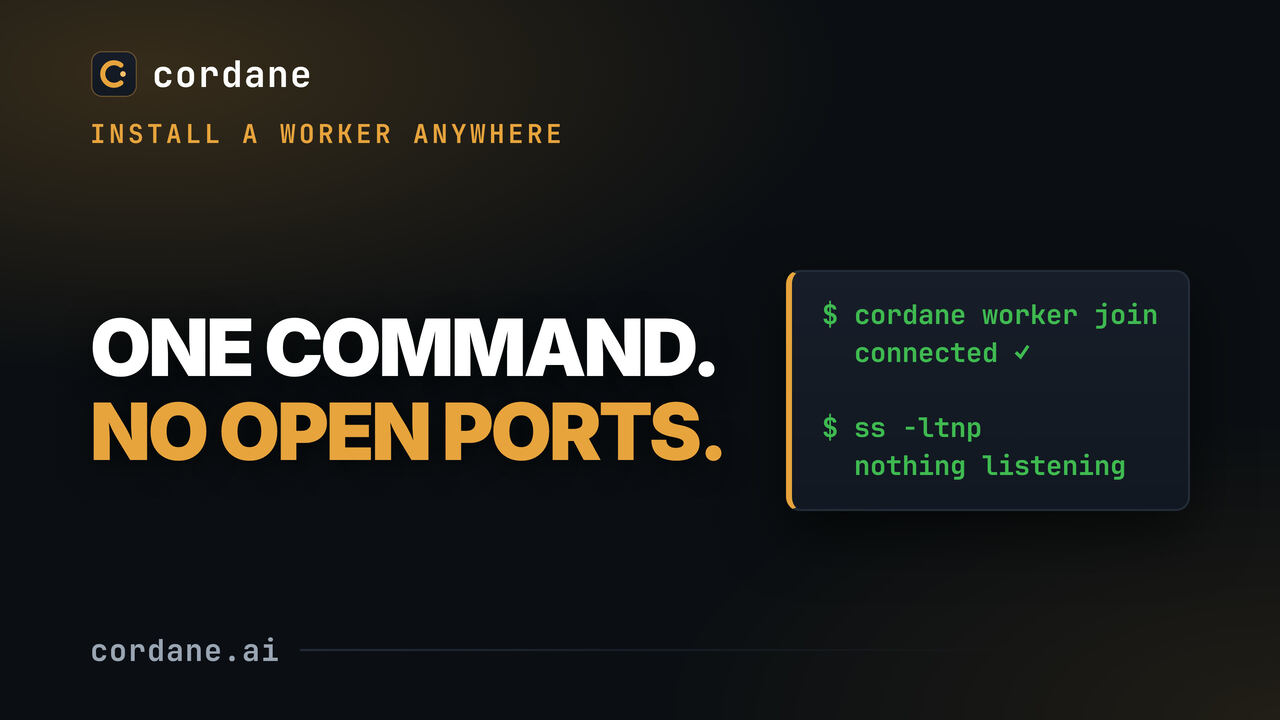
Workers dial out to the hub over a single outbound connection — no inbound ports, no VPN, no SSH config. Run one inside a corporate firewall and nothing needs opening.
What a worker needs
- OS: Linux or macOS.
- git — required (Cordane creates a git worktree per ticket).
- Docker — optional, only for running agents in a sandboxed container.
- Your agent CLIs — install the agents you use (e.g.
claude,codex) on the worker. Their API keys live on the worker and never touch the hub.
Sign in with GitHub
Cordane authenticates only through GitHub — no passwords. The first person to sign in becomes the admin; after that you manage roles from Settings → Users.
Managed cloud: sign-in is already configured — just click Continue with GitHub.
Self-host operators register a GitHub OAuth app once:
- GitHub → Settings → Developer settings → OAuth Apps → New OAuth App.
- Set the Authorization callback URL to
<your-hub-url>/api/v1/auth/github/callback. - Give the hub the client ID and secret.
Using Cordane
Once a worker is online, here’s the loop:
- Create a project — point it at a git repo and give it setup + start scripts (install deps, run migrations, boot the dev server) plus a saved terminal layout. Detect from repo proposes those scripts for you.
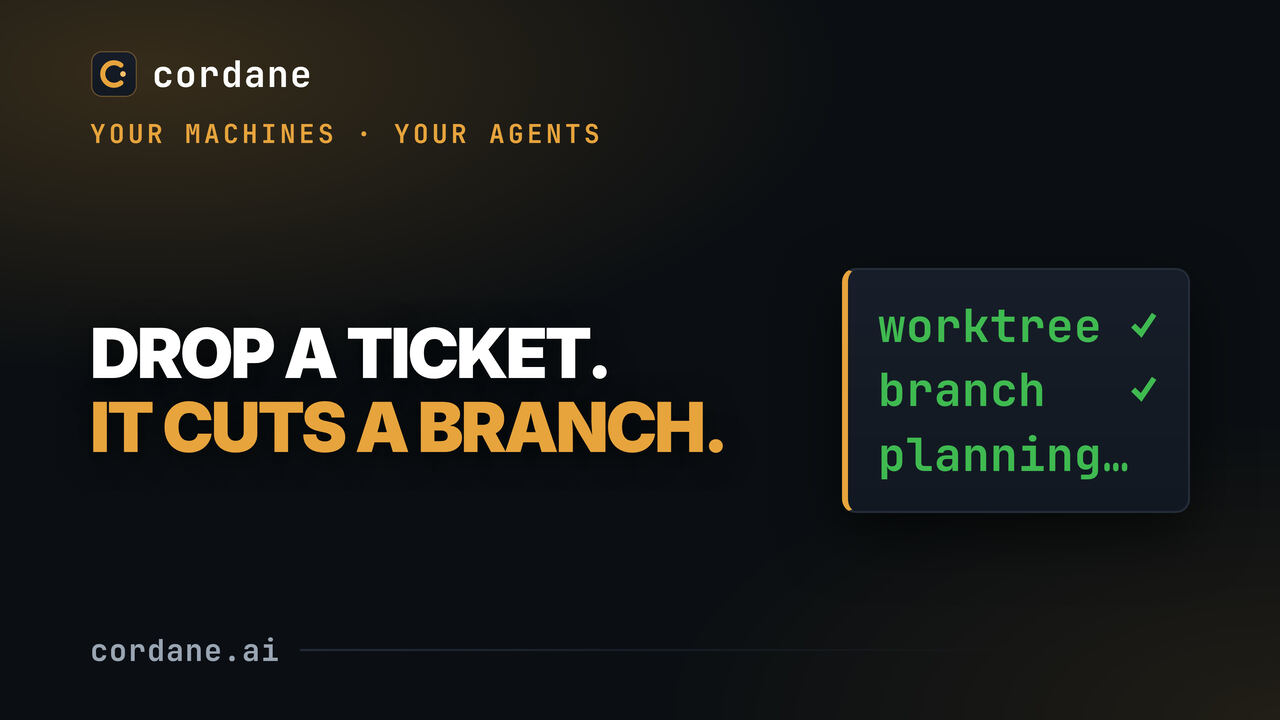
- Start a ticket — Cordane cuts a fresh git worktree on its own branch from the latest main, reserves a block of ports, and runs your agent there.
- …or schedule it — give a ticket a start time and the hub starts it for you then, with nobody watching. You pick that time in your own time zone, so 07:00 means 07:00 where you are, whatever the hub runs on — the branch and the diff are waiting when you sit down.
- See it live — the dev server the agent starts is reachable through the hub’s reverse proxy on its own subdomain (auth on by default), so you click through the real change before merging.
- Review — the board shows the diff and how far the branch is ahead of / behind main; merge when you’re happy, or request changes and send it back to the agent.
- Run many at once — every ticket is isolated in its own worktree and ports, so parallel tickets never collide. A ticket can wait on others, and two or three agents can race on the same ticket.
- Pull tickets in — from Sentry, Jira, GitHub Issues or Linear, by URL or by a filter that creates them as issues arrive. See Connections.
- Let the agent use the board — through Cordane’s MCP server it reads the ticket, comments, files follow-ups and asks you when it’s stuck.
- Get told — when an agent is stuck on a prompt, a run fails, or a plan or a review is waiting for you. See Alerts.
- Watch them from one page — Agents in the sidebar lists every agent pane you can see, across every space and every worker, grouped by state: waiting on you first, then done (finished a turn since you last looked), then working and idle. Each row opens the exact pane, and the board and spaces list carry the same state rolled up per card.
- Get files out, and in — the files menu on any space browses that worker’s disk and downloads a file (a folder arrives as a
.tar.gz); drop files on it to upload. An agent that leaves a screenshot or a report in.cordane/outputs/has it attached to the ticket when its run ends. Noscp, no open ports — it rides the worker’s one outbound connection.
The loop on camera — a ticket becomes a worktree, a branch and a planning agent, then the plan comes back to the card:
Setting up a project: Detect from repo
Under Project settings → Lifecycle hooks, Detect from repo reads the repo’s manifests on your worker (package.json, go.mod, mix.exs, Cargo.toml, pyproject.toml, Gemfile, composer.json, a Makefile or justfile, a Procfile, compose and mise/asdf files) and proposes setup, start and check hooks plus the environment keys the app expects — each with the file it came from and a confidence. A Makefile target wins over the ecosystem default; Node monorepos get a start hook per app.
It runs nothing from the repo, and secrets stay on the worker: from .env.example it takes key names only. The proposal is a checklist marked new, already there or replaces a hook; replacements and low-confidence guesses start unticked, every command is editable, and nothing is saved until you press Save. The worker has to be online.
Sending work back: review rounds
When a ticket is in review, its Changes tab has a Request changes box. Write the overall feedback, and click any line of the diff to pin a note to it (a removed line is numbered as in the base branch). Then pick how the agent gets it:
- ↩ Send to agent — hands the feedback to the agent in the ticket’s space and takes you there. If the space is still open, that is the same agent session that did the work.
- Queue in background — queues a headless follow-up pass on the same branch and leaves you on the board. The ticket goes back to Ready to implement with a ⏳ queued badge and starts when an agent slot is free; it counts against your agent slots like any headless run.
Either way the agent gets an implement prompt with a Review feedback to address section: every open round, with the line notes as path:line and the line you clicked. It tells the agent this is a follow-up — read the branch and build on it, don’t start over. The same rounds are written into .cordane/TICKET.md, along with earlier ones already addressed. In a custom implement prompt the section is {{review}}; if your prompt doesn’t place it, it is appended at the end.
A round counts as addressed when the pass that got it finishes. If that pass fails or is stopped, the round stays open and the retry sends it again. While no pass is running, its author (or an admin) can Withdraw an open round; if it was the only feedback on a queued background pass, the pass is cancelled and the ticket returns to review. On a ticket several members work on, a round is about the reviewer’s own workspace — their diff, their worker — and only their passes get it. Sending work back needs Allow the agent to run commands on the project and the worker online.
Failing checks, sent back automatically. Under Project settings → Lifecycle hooks, When checks fail decides what a red check hook does after an implement pass. The default just flags the ticket (✗ checks). Set it to send the failures back to the agent — 1, 2, 3 or 5 tries — and each failing command, its exit code and the tail of its output become a review round, with another implement pass on the same branch. A pass you drove in the space gets them pasted into that same agent terminal; a background pass is queued for a free slot. When the budget runs out the ticket stays in review for you. Starting implement yourself resets the budget. Re-running the checks by hand never starts a fix, and neither does a pass you marked done yourself.
On the board, ↩ changes requested marks a card with feedback waiting for the next implement pass, and 🔧 fix 1/2 shows how much of the auto-fix budget a card has spent.
Reviews on GitHub become review rounds
If your team reviews on GitHub, the agent hears about it too. While a ticket with a GitHub PR is in review, the hub reads the PR every few minutes — on the worker, with the worker’s own gh CLI, so the hub holds no GitHub token — and turns what is new into a review round: a changes requested review (its summary) and every comment on an unresolved, current review thread (a note with its file and line). Sync PR reviews in the ticket does it on demand.
Only the repo’s owner, members and collaborators, and the PR’s own author, are imported; anyone else’s comments are counted and skipped. Approvals, plain review summaries, bots, outdated or resolved threads and pending comments are left out, and nothing is imported twice. Project settings → Lifecycle hooks → When a PR gets changes requested on GitHub picks what happens next:
- Show it on the ticket (default) — the round waits for the next implement pass.
- Queue a follow-up pass — a background pass on the same branch, like Queue in background; it needs Allow the agent to run commands.
- Queue a follow-up pass, then reply — also replies “Addressed in <sha>” on each thread once the pass has pushed, as the worker’s
ghidentity. Threads are never resolved for you. - Off — GitHub reviews aren’t read.
Dependencies and sub-tickets
A ticket’s Dependencies field lists what it is blocked by — other tickets in the same project. Cycles are refused. A blocked ticket shows 🔒 blocked by … on its card, and nothing starts it automatically — the autonomous loop, a timed start or a queued follow-up waits until every blocker is done. You can still press Plan or Implement; Cordane asks first and notes the override on the ticket. Moving a blocker out of Done blocks its dependents again.
A plan too big for one pass can become several tickets: Plan tab → ✂ Split into sub-tickets proposes one step per item of the plan’s checklist, step headings or numbered list. Edit the list, pick the column they start in (Backlog, Ready to plan or Ready to implement — there, each step becomes its sub-ticket’s plan), and choose whether each waits on the one before it and whether the original ticket waits for all of them. Both are on by default. The parent’s card shows progress as ☰ 3/5.
Racing agents: best of N
Not sure which agent, model or flags will do a ticket best? From a ticket in Plan ready, Ready to implement or In review, 🏁 Race agents… (the Race tab) runs 2 or 3 contenders — each an agent command, so it can be two different CLIs or the same CLI twice with different flags. Each implements the ticket headless in its own worktree, on its own branch cut from the ticket branch, then is committed and run through the project’s check hooks.
The Race tab compares them side by side: status, checks, files changed and lines added/removed, how long the agent took, its summary, output and diff. 🏆 Pick winner fast-forwards the ticket branch to the winner’s commit and moves the ticket to review — checks, push and PR as after any implement pass — and removes every contender’s worktree and branch. Discard race puts the ticket back where it was.
Contenders take agent slots like any headless run (extras queue). A race needs Allow the agent to run commands, runs on the worker of the member who started it (only they can pick or discard), and is refused on multi-repo tickets. Pick refuses if the ticket’s worktree has uncommitted changes or its branch moved since the race started.
Files in and out of a worker
Three ways to move a file, all through the hub and none of them stored on it:
- The files menu — next to ports in a space. It opens with shortcuts to the space’s folder (a ticket’s worktree), home, and wherever each pane’s shell currently is. Any file downloads, and the ones a browser can show also open ↗ in a tab: video and audio (with seeking), PDFs, images, and text — logs, code, JSON, CSV, Markdown. HTML and SVG open as their source, never rendered on the hub. A folder downloads as a
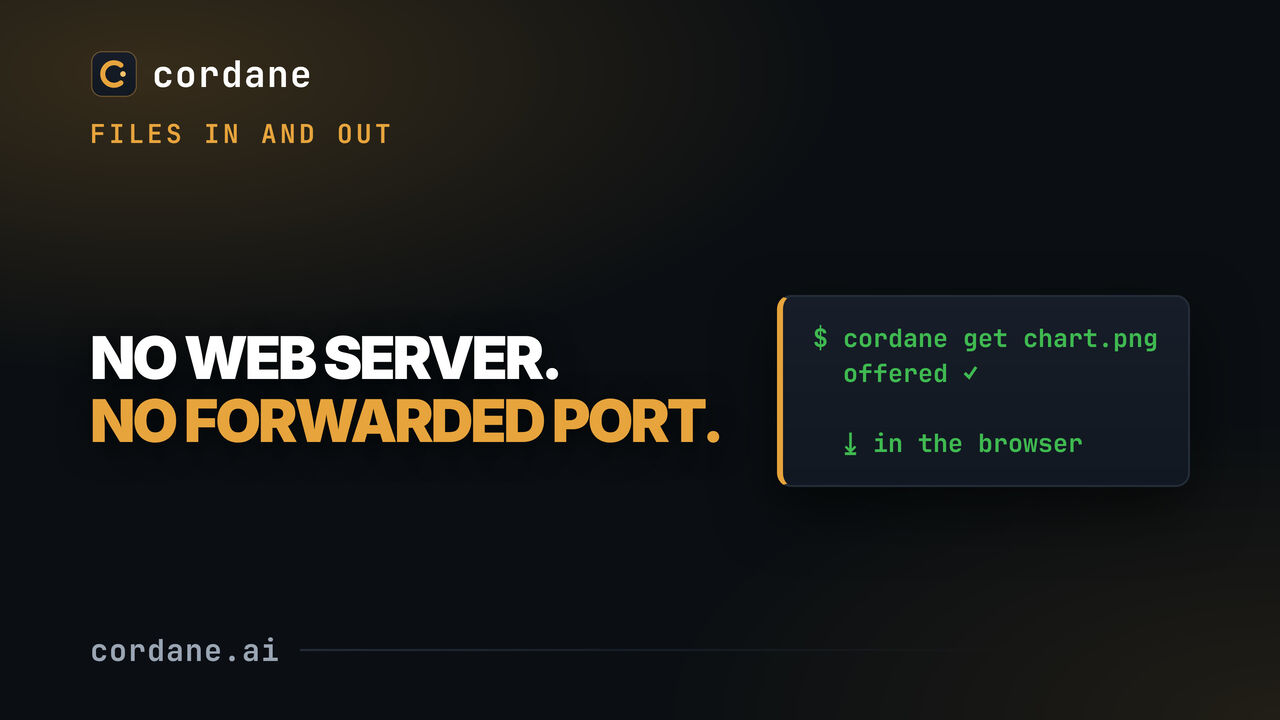
.tar.gz. ⤒ upload or a drop on the list puts files in the folder you’re looking at. cordane get <path>— run inside any terminal in the space, by you or by an agent, it offers that file: it lands at the top of the files menu with a download button, and everyone with the space open gets a toast. Nothing is copied until someone clicks.- Agent outputs — an agent working a ticket is told to leave files for you in
.cordane/outputs/in its worktree. When its run ends they are pulled into the ticket’s Attachments, tagged agent, and outlive the worktree. A collect agent outputs button on the ticket does it on demand. Regular files up to 25 MB; folders and symlinks are skipped, and the ticket’s Activity says which.
Both directions on camera — the files menu, and cordane get from inside a terminal:
Agents know both of their channels without being told: the hub installs a cordane skill — a SKILL.md that Claude Code, Codex, opencode and pi read at session start — into the user-level skill directories on each worker (~/.agents/skills/ and, when Claude is on the box, ~/.claude/skills/). New workers get it on their first connect; older ones have Install on their worker page. The hub keeps it current: a newer skill reaches every worker the next time it connects, which a hub upgrade makes them all do.
Who can do this is the space owner’s call. It’s owner-only by default; a switch in the menu lets a shared space’s editors download and upload too, and viewers never can. Every transfer by someone other than the owner is written to the audit log.
Needs a worker on a build that advertises file-transfer (cordane worker upgrade). An older worker simply shows no files menu. Jumping ahead in a video you opened needs file-range too; on a worker without it the video still plays, from the start.
Agent state reporting
Panes running claude, codex, opencode or pi show up on the Agents page whether Cordane started them or you typed the command yourself. Whether they report working / waiting on you depends on how they are read:
- Claude Code — open the worker’s page and hit Install under Agent state. That patches Claude Code’s own config on that machine (
~/.claude/hooks/cordane-agent-state.sh) so every pane reports its own lifecycle events. Your own hooks are left untouched, it does nothing outside Cordane, and agents already running pick it up the next time they start. It is per worker and opt‑in — nothing lands on your machines unless you ask for it. - Every other agent — read off the screen, nothing to install. That fallback is strict on purpose: a prompt it doesn’t recognise reads as idle rather than a guessed “waiting on you”.
A hub upgrade can ship a newer hook — the worker page then says older version, and one click updates it.
MCP server: cordane mcp
Cordane ships an MCP server (Model Context Protocol) inside the cordane binary every worker already has. The agent CLI starts it over stdio, and it gives the agent working a ticket tools that act on that ticket and its project, mid-run: read the ticket and the board, comment, keep a progress note on the card, attach a file, file a follow-up, and stop to ask you a question.
Set it up
- Claude Code — nothing to do on workers with the Agent skills switch on: the hub runs
claude mcp add-json --scope useronce per worker. That edits the machine’s global Claude Code config, so every Claude session there sees the server. Remove it and it stays removed; Install on the worker page adds it back. - Codex and opencode — run
cordane mcp installon the worker, once. - pi has no MCP client; it keeps the skill’s channels (
cordane get,.cordane/outputs/).
# register with Claude Code, Codex and opencode (or name one: install codex)
cordane mcp install
# what is registered where
cordane mcp status
# remove exactly what install added
cordane mcp uninstall
# print the config to add by hand instead
cordane mcp --print-config codex
The entry points at the worker’s own binary by absolute path, so cordane worker upgrade keeps it current. install never touches an entry named cordane it didn’t write, and where a config file can’t be edited safely it prints the snippet instead.
Tools
get_ticketandlist_tickets— the ticket (description, plan, comments, open review feedback, attachments) and the project’s board.request_human— flags the card ⚑ needs a human and puts the agent’s question at the top of the ticket, with Resolve. The next run clears it too.comment,set_status_note(a progress line under the card’s title),attach_file(a file from the worktree onto the ticket) andcreate_ticket(a follow-up in the Backlog, never started on its own).
What it can’t do
What the agent writes shows as agent on behalf of its member. The ticket comes from the pane’s or the run’s own credential, never from a tool argument, so an agent on one ticket can’t write to another or reach another project. Nothing moves work — no status changes, no runs, no deletes — and a headless plan run may only read and ask for a human. Outside a Cordane session the server offers no tools.
Alerts
The board already knows when an agent needs a person. Alerts push that out, so a 2am permission prompt doesn’t wait for breakfast. Set them up per person under Settings → Alerts; each event can be switched off:
- Agent is waiting on you — a permission prompt or a question has gone unanswered for longer than your delay (1 minute to 2 hours; 2 minutes by default). Once per prompt, and not if the worker is offline or you’ve opened the pane since it stopped.
- Agent run failed — a plan or implement run ended in failure.
- Plan ready for approval.
- Ready for review — sent once the project’s checks have settled, so an auto-fix round doesn’t ping you early.
- Checks still failing — red checks with no automatic fix coming; sent instead of Ready for review.
Who is told: one person per event, never the whole team — the owner of the worker for a stuck pane, and for a ticket the member the run ran as (or else the ticket’s creator, or else the project’s owner), only while they are still on the project’s team.
Where:
- This browser — switched on per device: an OS notification while a Cordane tab is open in the background, or a toast when you’re looking at it.
- A webhook — presets for ntfy (free phone push), Slack and Discord, or generic JSON. The URL is stored encrypted and never shown back. It must be a public
https://address and redirects aren’t followed; an operator can setCORDANE_ALLOW_PRIVATE_WEBHOOKS=1on the hub to allow an internal or plainhttp://endpoint. - Email to your account address, once the hub has SMTP:
CORDANE_SMTP_HOSTandCORDANE_SMTP_FROM(required),CORDANE_SMTP_PORT,CORDANE_SMTP_USERNAME/CORDANE_SMTP_PASSWORD, andCORDANE_SMTP_SECURITY(starttlsby default, on port 587;tlson 465; ornone). Until then the option shows as unavailable.
Each alert links to the pane or the ticket. Send test notification tries every channel you’ve set up, and Recent alerts shows what reached where. A failed run’s last line of output stays in the browser notice; webhooks and email get the ticket’s title and “open the ticket” instead.
Self-hosting with the compose file: set the CORDANE_SMTP_* values (and CORDANE_ALLOW_PRIVATE_WEBHOOKS=1 for a webhook on your own network) in .env — they’re listed in .env.example — and run docker compose up -d.
Connections: Sentry, Jira, GitHub Issues, Linear
A connection pulls issues from another tool into a project as tickets. Add one from the project board → Connections with an API token, stored encrypted and never returned by the API:
- Sentry — an API token. Jira — your account email and an API token.
- GitHub Issues — a fine-grained token with Issues: Read on the repo (Read and write to close issues when their tickets are done).
- Linear — a personal API key.
Then any of:
- Import from URL — paste an issue’s URL (board → Import). The full issue — description, stack trace, fields, attachments and images pasted into it — becomes a new ticket’s description, which is what the agent reads. GitHub pull request URLs are refused: only issues become tickets.
- Sync — give the connection a filter (a Sentry search, a Jira JQL, a GitHub repo plus labels or a search query, a Linear team plus labels, states or assignee) and Sync now creates a ticket per matching issue, up to 25 per run. The first sync imports the current backlog, later ones only issues created since, and an issue never becomes two tickets.
- Auto-create — the same sync on a timer. Turned on for a connection that has never synced, it starts from that moment, so no backlog floods in.
- Auto-close — when an imported ticket reaches Done, the upstream issue is closed too: resolved in Sentry, moved to a Done status in Jira, closed as completed on GitHub, moved to the team’s completed state in Linear. GitHub and Linear also get a comment naming the ticket and linking its PR.
A custom base URL reaches self-hosted Sentry, Jira Server or GitHub Enterprise Server; Linear is cloud-only. Connections only reach public https:// addresses unless the operator sets CORDANE_ALLOW_PRIVATE_CONNECTIONS=1.
Cost, time & outcomes
Every agent run records which agent ran, how long it took, how its checks went, and whatever usage the agent CLI reported. What that is depends on the CLI:
- Claude Code — tokens, cost, turns and the model.
- Codex — tokens only.
- opencode — tokens and cost.
- pi, and runs driven in a space’s terminal — nothing to read, so n/a.
A figure no run reported is shown as n/a, never as zero, and each total says how many runs it covers. A ticket’s Audit tab has a Cost & time section: wall and agent time, cost, tokens, passes and each pass’s checks. The board’s Insights link opens the project view for the last 7, 30 or 90 days, all passes or plan or implement only: runs, success rate, p50/p90 duration, spend and tokens per agent, auto-fix chains, and how many tickets reached review each week.
Requirements
Worker (every setup)
- Linux or macOS, with
git. Docker optional (sandboxed agents). - Enough CPU/RAM/disk for your own builds and agent runs — the heavy work happens here, so size it to your project.
Hub (self-host)
- A small Linux VPS (1–2 vCPU) with Docker, ports 80/443 open.
- A domain for automatic wildcard HTTPS — or run on
localhostfor solo use. - A GitHub OAuth app (see Sign in with GitHub).
Managed cloud has no hub requirements — we run it.
Updating & support
Keep a worker current with a one-liner — it self-updates from your hub to a compatible version:
cordane worker upgrade            # download & apply the update
cordane worker upgrade --check    # just check if one is available
Managed-cloud hubs are upgraded for you. To update a self-hosted hub, pull the current :stable images and restart:
docker compose pull && docker compose up -d
Your hub shows admins an “update available” banner under Settings → Version when a newer release is out. It never touches your box — you run the command. To know, the hub asks cordane.ai for the newest release at startup, every 6 hours, and when someone opens the app (at most once a minute). The request carries only the release channel name — not your version, hostname, license key or any usage data. Set CORDANE_UPDATE_CHECK=off to disable the check.
Stuck? Open an issue on GitHub or email contact@cordane.ai.