Machines you already own. No cluster to provision.
Coder provisions cloud dev environments from Terraform templates and now runs coding agents inside them, with the governance a platform team needs. Cordane skips the provisioning: enroll the laptop, the office box or the $5 VPS you already have, and let a kanban ticket drive the agent on it — from a browser, or a phone.
Coder creates environments; Cordane enrolls the ones you have. The line is drawn below.One command. It dials out. Nothing provisioned.
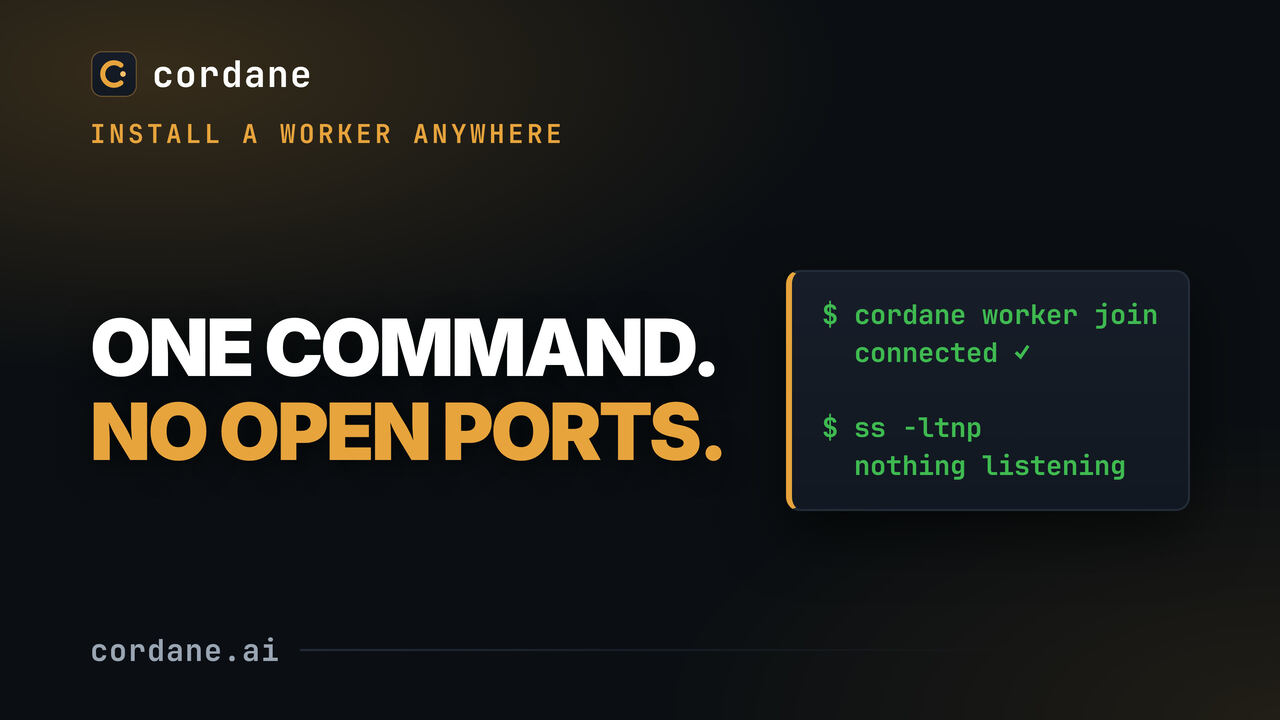
A worker installed on a machine behind NAT: one binary, one token, one process. No daemon to configure, no reverse proxy, no certificate — and at the end ss -ltnp is asked what it’s listening on. Nothing.
Both keep agents on your infrastructure. They differ in where that infrastructure comes from.
Coder's line is secure environments for developers and their agents, and its whole model is creating those environments — a workspace is "a set of cloud resources" provisioned from a template. Cordane starts from the other end: the machines exist already, and the job is to reach them and put work in front of them.
Templates, a control plane, a platform team.
- Workspaces are defined in Terraform and created on Kubernetes, VMs or Docker by
coderd, PostgreSQL and provisioner daemons. Each developer gets an environment; agents get one per task. - You reach a workspace through
coder ssh, VS Code, JetBrains or a web terminal, over WireGuard with relays as fallback — the workspace agent connects out to the control plane. - Coding agents run inside workspaces (Coder Tasks) or from the control plane itself (Coder Agents), behind SSO, RBAC and audit logging. AGPL-3.0 core with paid Premium features.
One binary, the machines you have, a board.
- The hub is one Go binary and a SQLite file — two containers on a small VPS, or let us host it. A worker is the same binary on any Linux or macOS machine you already own, started with one command.
- Workers dial out over a single connection. Nothing inbound, no VPN, no SSH config — and nothing to provision, because the machine was already there.
- A kanban ticket starts the agent: worktree, branch, plan, implement, review, with its state on the card — for the whole team, from a browser or a phone.
- Free forever to self-host on the Community tier. The hub isn't open source; the deploy config is MIT.
Enroll a machine, drop a ticket, watch from anywhere.
There is no template step because there is no environment to create. The hub goes up once; every machine after that is one command.
Run the hub
docker compose up -d on any box with a domain — two containers, no database server, backups are a file. Or take the managed cloud and skip even that; your workers still stay on your side.
Enroll what you have
One command on the laptop, the GPU box, the office desktop behind the firewall. It connects outward to the hub with a one-time token — no port 22 reachable from anywhere, and no cloud bill for a machine you already paid for.
Put work in front of it
Drop a ticket on the board and Cordane cuts a git worktree, runs your setup hooks, boots the dev server on a stable preview URL and hands the ticket to Claude Code, Codex, opencode or pi. Review the diff on the card — from a phone if that's where you are.
The honest trade. Because nothing is provisioned, nothing is ephemeral either: a worker is a long-lived machine, isolation between tickets is a worktree and reserved ports, not a throwaway VM, and a worker reboot ends its live sessions (layout and directories come back). If you need every task in a fresh environment from a template, that is precisely what Coder builds and this page won't pretend otherwise.
Which Coder jobs Cordane covers — and which it doesn't.
Read off Coder's product and docs pages on 18 September 2026. Cordane's answer next to each line, including the ones where the answer is no.
| The job | Cordane |
|---|---|
| A self-hosted control plane; code, secrets and execution stay on your infrastructure | Covered — the hub is yours (or managed by us with the data plane still on your workers); the agent, the repo and the API keys never leave the machine you enrolled. |
| Web terminal, port forwarding and dev URLs onto a running environment | Covered — persistent browser terminals, any port on a stable {app}--{worker} subdomain, and public share links per app. How previews work. |
| Running coding agents against a repo, with the result reviewed by a human | Covered — and driven by a ticket rather than a chat: plan, implement, diff and how far behind main, all on the card. This is the part Cordane exists for. |
| One shared surface for a team, with each person's machines kept private | Covered — one board per project, private workers per member, GitHub sign-in behind an admin-managed allowlist. |
| Reaching a machine that sits behind NAT or an office firewall | Covered — the worker only ever dials out; there is nothing for the network team to open. |
| Isolating each task in its own environment | Partly — each ticket gets its own git worktree, reserved ports and space on a long-lived worker; Docker on the worker is optional for sandboxing the agent. Not a fresh VM or container per task. |
| Audit trail of what an agent did | Partly — every run keeps its exact prompt, exact diff and which checks ran, on the ticket. There is no organisation-wide audit log to ship to a SIEM. |
| Provisioning workspaces from Terraform templates on Kubernetes, VMs or Docker | Not covered — Cordane provisions nothing. You enroll machines that already exist. |
IDE access — VS Code Remote, JetBrains Gateway, coder ssh |
Not covered — terminals live in the browser tab, on purpose. Cordane brokers no IDE or SSH connection to the worker. |
| SSO / SAML / OIDC, role-based access control, quotas | Not covered — sign-in is GitHub only, with an allowlist, teams and projects. No SAML, no per-user compute quotas. |
| A chat interface that picks a template and provisions a workspace for the agent | Not covered — agents get their work from a ticket and run in a real terminal or headless. There is no chat UI and no built-in agent of Cordane's own. |
| Open source under AGPL-3.0 | Not covered — the deploy configuration is MIT; the hub and worker are proprietary and free forever on the Community tier, which needs no license key and makes no license calls. |
Small enough to run on Tuesday afternoon.
A platform pays off at a certain team size. Below it, the cost is the platform team you don't have. Cordane is sized for the other case.
The hardware you already paid for
The GPU box under the desk, the old laptop, the office workstation that sits idle at night — enroll them and they become agent capacity. No cloud bill for compute you own, and no VM sizes to pick.
A file, not a database server
All hub state is SQLite, replicated to any S3-compatible bucket with built-in Litestream if you want it. Backup is copying a file; migrating between self-host and managed cloud is moving it.
Work that starts without you
Give a ticket a start time in your own timezone, or drop it in the autonomous column and let the board pick it up. The run happens on your worker overnight, and the diff is waiting on the card in the morning.
Before you pick one — or both.
Is Cordane a Coder alternative?
Do I need Kubernetes, Terraform or PostgreSQL?
docker compose, or the binary on a small VPS behind a domain for TLS. A worker is the same binary in a second role, started with one command on any Linux or macOS machine. Nothing is provisioned; you enroll what exists.Can I open a workspace in VS Code or JetBrains?
coder ssh equivalent. The worker is your machine, so any editor you already run on it keeps working — Cordane just doesn't broker that connection, and if IDE-in-the-workspace is the thing you need, Coder does it well.Is Cordane open source like Coder?
How are agent runs isolated?
Can I use both?
Put a board in front of the machines you have.
Self-hosting is free and available now — start with the quickstart, no email required. Want us to run the hub? Managed cloud starts with a 14-day free trial from the pricing page; your workers stay on your machines.
Community tier: free forever, no license key, no account with us.